Best Invoicing Software for Freelancers in 2026
For most U.S. freelancers, Invoicelabs is the fastest path from finished work to collected payment. It generates a branded, tax-ready invoice in under 30 seconds, accepts card payments through Stripe, and tracks delivery status in real time. No accounting degree required, no hidden fees, and no account needed for a quick invoice. That matters because roughly 71–74% of independent professionals report dealing with late payments — and the right software is one of the most direct ways to close that gap.
Here’s the short version of what fits different situations:
- Best overall: Invoicelabs — fast branded invoices, Stripe payments, real-time tax, bank-grade security
- Best free option for low volume: Entry-level free tools work fine under 5 invoices/month; browser-based generators keep data local
- Best for time tracking: Time-tracking-first platforms that convert logged hours directly to invoice line items
- Best for contracts + payments: End-to-end workflow tools that bundle proposals, contracts, and invoicing in one place
- Best for simple one-off invoices: Invoicelabs’ accountless quick invoice generator — no signup, no friction
Table of Contents
- How the top invoicing tools for freelancers compare
- How to choose invoicing software as a freelancer
- Which features actually move the needle for your invoicing workflow
- How pricing and payment fees actually work
- Which invoicing tool fits your freelance situation
- Why faster invoices actually collect faster — the evidence
- Key Takeaways
- The part most freelancers get wrong about invoicing software
- Invoicelabs: built for freelancers who bill on their own terms
How the top invoicing tools for freelancers compare
The table below maps the five main categories of freelance invoicing tools against the dimensions that actually affect your cash flow and day-to-day workflow.
| Feature | Invoicelabs | Entry-level free tools | Payment-platform tools | Time-tracking-first tools | Contract/workflow tools |
|---|---|---|---|---|---|
| Best for | Most freelancers needing fast, branded invoices | Occasional billers, <5 invoices/month | Freelancers already using a payment platform | Hourly consultants, project-based billing | Full proposal-to-payment workflows |
| Price / free plan | Free quick invoice; paid plans for full features | Free (limited or browser-only) | Free tier with transaction fees | Paid; limited free tiers | Paid; often higher starting price |
| Card & ACH processing fees | Card via Stripe (standard Stripe rates); no hidden markup | Varies; often card-only | Platform rates apply | Third-party gateway required | Bundled or third-party |
| Recurring invoices | Yes | Rarely | Sometimes | Yes | Yes |
| Time tracking | Via integrations | No | No | Built-in, core feature | Sometimes |
| Ease of use / setup | Under 30 seconds to first invoice | Simple but limited | Moderate | Moderate to complex | Complex; longer onboarding |
| Integrations | Stripe native; Zapier, accounting tools | Minimal | Native payment platform | QuickBooks, Xero, Zapier | Varies |
| Mobile app | Yes | Browser-only or basic | Yes | Yes | Yes |
| U.S. tax handling | Real-time tax calculations, tax-line support | Manual | Basic | Basic to moderate | Moderate |
| Security | Bank-grade encryption | Browser-local; no server storage | PCI-compliant | PCI-compliant | PCI-compliant |
Why Invoicelabs sits at the top of this list: It’s the only category that combines sub-30-second invoice creation, real-time tax calculations, Stripe-native card payments, and brand customization without requiring a full accounting setup. For a freelancer who needs to look professional, get paid fast, and keep overhead low, that combination is hard to beat.
Statistic callout: Stripe’s hosted invoice pages report that 87% of invoices are paid within 24 hours when clients can pay directly from the invoice link — compared to the multi-day delays typical of emailed PDFs with manual payment instructions.
Processing fees interact with subscription costs in ways most freelancers underestimate. A free plan with a 3.5% card fee on a $2,000 invoice costs $70 in processing alone. A $15/month paid plan with standard Stripe rates (2.9% + $0.30 per transaction) on the same invoice costs about $58.30 plus the subscription — still cheaper, and you get automation and branding on top. The math shifts quickly once you’re billing more than a few thousand dollars per month.
How to choose invoicing software as a freelancer
The right tool depends on your billing volume, how you accept payment, and how much time you’re willing to spend on admin. Work through this checklist before committing to any platform.
- Speed to first invoice. Can you create and send a professional invoice in under two minutes? If setup takes an hour, you’ll delay billing after every project.
- Payment acceptance. Does it support both card and ACH? Ask vendors: “Can I accept ACH bank transfers? What are the per-transaction fees?” ACH typically runs $0.25–$1.50 flat versus 2.9%+ for cards.
- Client limits. Free plans often cap active clients at 1–5. If you have more than a handful of clients, check the limit before you invest time in setup.
- Automation. Does it send automatic payment reminders? Can it retry failed card charges? Automation saves collection time and recovers a measurable share of failed payments.
- Time-tracking integration. If you bill hourly, can you log time and convert it to invoice line items without copy-pasting?
- Tax handling. Does it calculate sales tax or self-employment tax lines automatically? For U.S. freelancers, this matters at year-end.
- Integrations. Does it connect to QuickBooks, Xero, or Zapier? Disconnected tools create double-entry work.
- Mobile app. Can you send an invoice from your phone after an on-site meeting?
- Security. Is payment data PCI-compliant? Is invoice data encrypted at rest?
- Support. Is there a real human available when something breaks before a client deadline?
Questions to ask during a trial:
- “Can I export all my invoices as a CSV or PDF archive?”
- “How are failed payments retried — automatically or manually?”
- “Can I assign sequential invoice numbers, or does the system generate them?”
- “What happens to my data if I cancel?”
Red flags to watch for:
- Non-sequential or random invoice numbers (auditors flag these)
- No transparent processing fee disclosure before you sign up
- No data export or backup option
- Customer support limited to a help-center chatbot
- Free plan that locks you out of payment links entirely
Cost range to expect: Basic paid plans for freelance invoicing tools typically run $9–$30/month. Free tools are often sufficient for fewer than 5 invoices/month; paid plans become worthwhile at roughly 10+ invoices/month or when you need automation, integrations, or time tracking. At 10 invoices averaging $500 each, a $15/month plan costs you 0.3% of revenue — a straightforward trade for hours saved chasing payments.
Which features actually move the needle for your invoicing workflow

Most freelancers use about 20% of their invoicing software’s features. Knowing which 20% matters is what separates a tool that pays for itself from one that just adds another subscription.

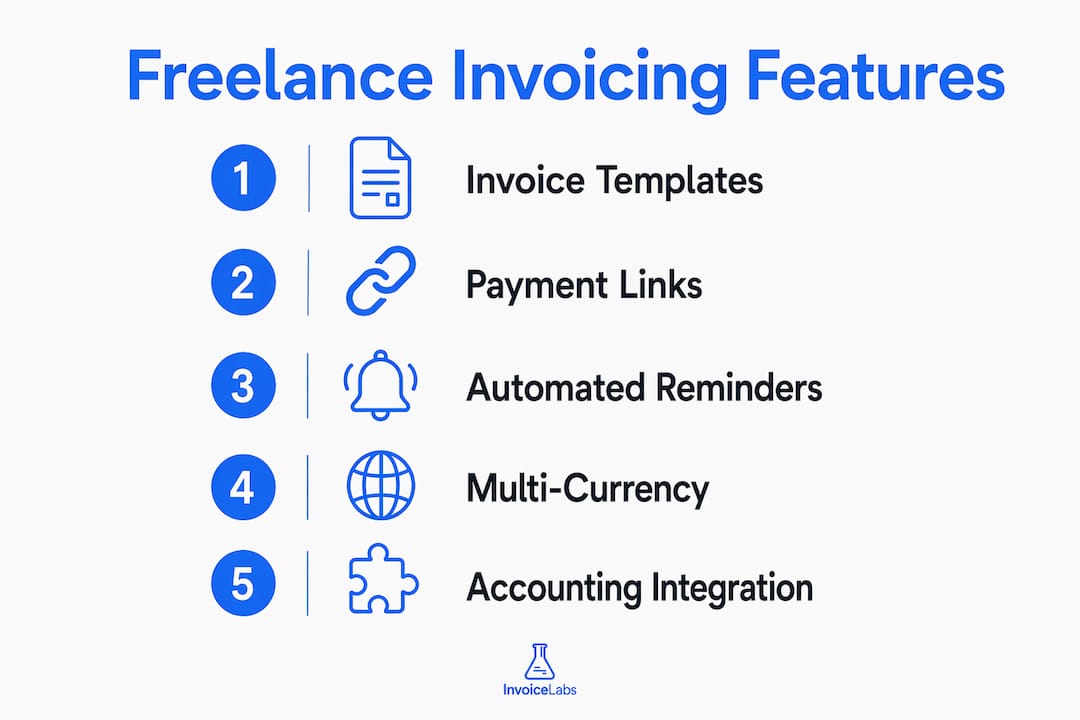
Invoice templates and branding. A template with your logo, brand colors, and consistent layout signals professionalism before the client even reads the amount. Invoicelabs lets you customize logo, colors, and layout — and that consistency carries across every document you send.
Sequential invoice numbering. This sounds boring until an auditor asks for invoice #47 and your system skipped from #44 to #51. Gap-free sequential numbers — even a simple 001/002 sequence — are standard practice and prevent questions from client AP departments.
Hosted payment pages and payment links. Instead of attaching a PDF and hoping the client finds your bank details, a hosted invoice page lets them click, review, and pay in one step. This is the single feature most correlated with faster payment. Stripe’s data shows clients can view, pay, and download invoices independently through self-serve portals, cutting the back-and-forth that delays most payments.
ACH and card support. Card payments are faster but cost more. ACH transfers are slower (1–3 business days) but nearly free. Offering both gives clients a choice and gives you flexibility on large invoices where a 2.9% fee adds up fast.
Automated reminders and smart retries. A reminder sent three days before due date, one day before, and one day after recovers more payments than any follow-up email you’ll write manually. Stripe’s Smart Retries recover about 38% of failed payments by retrying at optimized times based on historical success patterns — a feature worth having if you run recurring billing.
Recurring invoices. If you have retainer clients or subscription-based work, recurring invoices eliminate the monthly task of recreating the same document. Set it once, collect every month.
Time tracking to invoice. Hourly consultants lose money when they forget to log time or round down out of awkwardness. A tool that converts tracked hours directly to invoice line items removes both problems. Check whether the integration is native or requires a Zapier workaround.
Multi-currency and tax lines. U.S. freelancers working with international clients need multi-currency invoicing. Invoicelabs supports multiple currencies. For domestic work, real-time tax calculation on invoice line items saves manual math and reduces errors.
Pro Tip: Set your payment terms explicitly on every invoice — “Net 15” is not enough. Write “Payment due within 15 calendar days of invoice date. Late payments subject to a 1.5% monthly fee.” Explicit terms reduce disputes and give you standing to charge late fees. See payment terms examples for ready-to-use wording.
Accounting integrations. A direct sync to QuickBooks or Xero means your invoices, payments, and outstanding balances flow into your books automatically. Without it, you’re reconciling manually at tax time.
How pricing and payment fees actually work
Freelancers often compare invoicing tools on subscription price alone and miss the real cost. The total cost of ownership has three components: the subscription, the processing fee on each payment, and the time cost of manual work the software doesn’t automate.
Fee types to understand:
- Subscription fee: Monthly or annual charge for the platform. Ranges from $0 (free tier) to $30+ for full-featured plans.
- Per-invoice limits: Free plans often cap you at 5–10 invoices/month or 1–5 active clients.
- Card processing fee: Typically 2.9% + $0.30 per transaction (Stripe standard). Some platforms add a markup on top.
- ACH fee: Usually $0.25–$1.50 flat per transfer, making it far cheaper on large invoices.
- Currency conversion fee: Typically 1–2% on top of the exchange rate for international payments.
- Chargeback fee: Usually $15 per dispute, regardless of outcome.
Sample cost scenarios:
| Scenario | Monthly invoices | Avg. invoice | Card payments | Monthly processing cost | + $15/mo plan | Total monthly cost |
|---|---|---|---|---|---|---|
| Low-volume freelancer | 5 | — | — | — | $0 (free) | — |
| Mid-volume, mixed | 10 | $500 | — | — | $15 | — |
| High-volume consultant | 20 | — | 30% card / 70% ACH | — | $15 | — |
A few practical moves reduce that processing cost meaningfully. Encouraging ACH on invoices over $500 saves roughly $13 per invoice compared to card. Building a small convenience fee into card-payment contracts (where your state allows it) offsets processing costs. Offering a 1–2% discount for payment within 5 days often costs less than the time spent chasing a Net 30 invoice.
Red flags on pricing: Watch for platforms that advertise “free” but charge a percentage on every payment without disclosing the rate upfront. Also watch for annual-only plans with no monthly option — you’re locked in before you’ve tested the tool with real clients. The cheapest invoicing options aren’t always the lowest total cost once processing fees are factored in.
If you’re ever waiting on a large unpaid invoice and need cash flow now, invoice financing is a legitimate option — you sell the receivable to a lender at a discount and get paid immediately rather than waiting 30–60 days.
Which invoicing tool fits your freelance situation
Different billing patterns call for different tools. Here’s how to match your situation to the right category.
-
Occasional or side-hustle billers (under 5 invoices/month): A free browser-based generator or Invoicelabs’ accountless quick invoice tool handles the basics without a subscription. Free tools can include required fields, multiple currencies, and PDF export while keeping data local to your browser.
-
Hourly consultants and project billers: You need time-tracking integration. Without it, you’re manually calculating hours and risking underbilling. Look for a platform where logged hours convert to invoice line items in one click, or use Invoicelabs with a Zapier connection to your time-tracking app.
-
Agency owners and multi-client freelancers: Client portals matter here. When you’re managing 10+ active clients, a portal where each client can log in, view invoice history, and pay outstanding balances cuts your admin time significantly. Invoicelabs supports multi-client management with brand-consistent documents across all accounts.
-
Contract-to-payment professionals (designers, consultants, coaches): If your workflow starts with a proposal and ends with a final payment, you want a tool that handles the full arc. End-to-end workflow platforms bundle contracts, invoices, and payments — but they come at a higher price and longer setup time. Invoicelabs handles the invoicing and payment end cleanly; pair it with a dedicated contract tool if proposals are a major part of your workflow.
-
International freelancers: Multi-currency invoicing is non-negotiable. Invoicelabs supports multiple currencies. Also verify that your payment processor supports the client’s preferred payment method — not all gateways accept every international card type. For high-value international transfers, payee verification before sending banking details reduces the risk of misdirected wire transfers.
-
When to upgrade from a free tool: The trigger is usually one of three things: you’re sending more than 10 invoices/month, you need automated reminders, or a client asks for ACH and your free tool doesn’t support it. At that point, a paid plan pays for itself in time saved and payments recovered.
How this shortlist was built
This evaluation covers Invoicelabs, FreshBooks, Wave, Bonsai, Square Invoices, Zoho Invoice, PayPal Invoicing, Xero, Invoice Ninja, Harvest, and HoneyBook. Each tool was assessed against the following criteria:
- Feature completeness: Invoice templates, recurring billing, payment links, time tracking, client portals, tax handling
- Pricing transparency: Clear subscription tiers, disclosed processing fees, no hidden markups
- Payment integrations: Stripe, ACH, card, PayPal, and gateway flexibility
- Security: PCI compliance, data encryption, bank-grade standards
- Mobile app: iOS and Android availability and core functionality
- Ease of use: Time to first invoice for a non-technical user
- Trial or free plan availability: Can you test before committing?
- Support quality: Response time, channel availability, documentation depth
Sources include product documentation, vendor pricing pages, Stripe’s invoicing research, NerdWallet’s buyer guidance, and Briskly’s freelancer invoicing guide. Pricing and feature details were verified as of mid-2026; always confirm current pricing directly with the vendor, as plans change. Regional payment method availability varies — test your specific client workflows before committing to any platform.
Why faster invoices actually collect faster — the evidence
The link between invoice quality and payment speed is well-documented, and it comes down to friction. Every step a client has to take between receiving your invoice and completing payment is a step where the payment can stall.
Stripe reports that 87% of invoices sent through hosted invoice pages are paid within 24 hours — a figure that reflects how dramatically a one-click payment link reduces collection time compared to a PDF attachment with manual bank details.
The structural elements of a well-built invoice also matter. A complete invoice includes your legal business name, a sequential invoice number, itemized services with rates, explicit payment terms, and a direct payment link. Each element reduces a reason for the client’s AP team to pause, question, or route the invoice for clarification.
Trust signals that reduce payment friction:
- Legal business name that matches your W-9 or business registration exactly — mismatches trigger holds at many corporate AP departments
- Sequential invoice numbers with no gaps (001, 002, 003 — not 001, 004, 007)
- Explicit payment terms written out in full (“Payment due within 15 calendar days”)
- A direct payment link, not just bank account details
- Itemized line items with clear descriptions — vague entries like “consulting services” invite questions
Automated reminders add another layer. A reminder sent before the due date prompts payment from clients who simply forgot; a reminder sent the day after due date prompts payment from clients who are slow. Neither requires you to write an awkward follow-up email. Invoicelabs’ delivery tracking lets you see exactly when a client opened the invoice, so you know whether a “haven’t received it” response is accurate.
For recurring billing, Smart Retries recover about 38% of failed payments by retrying at times when historical data suggests the card is most likely to succeed. For a freelancer running monthly retainers, that’s the difference between chasing a client and having the payment resolve itself. You can read more about building a complete billing workflow in the freelancer billing guide.
Key Takeaways
The fastest way to get paid as a freelancer is to combine a professional, complete invoice with a one-click payment link and automated follow-up — Invoicelabs delivers all three in under 30 seconds.
| Point | Details |
|---|---|
| Hosted payment links speed collection | 87% of invoices with hosted payment pages are paid within 24 hours, per Stripe’s data. |
| Free tools have real limits | Free plans work well under 5 invoices/month; paid plans pay off at 10+ or when automation is needed. |
| Invoice completeness reduces disputes | Legal name, sequential numbers, itemized services, and explicit terms all reduce AP holds and payment delays. |
| Smart Retries recover failed payments | Stripe’s AI-powered dunning recovers about 38% of failed payments by retrying at optimized times. |
| Invoicelabs fits most freelancers | Invoicelabs generates branded, tax-ready invoices in under 30 seconds with Stripe payments and bank-grade security. |
The part most freelancers get wrong about invoicing software
The conventional wisdom says to pick the tool with the most features for the lowest price. That’s the wrong frame entirely.
What actually determines whether you get paid on time is whether your client can pay in one step from the invoice itself. Everything else — templates, integrations, mobile apps — is secondary to that single variable. A beautifully branded PDF invoice that requires a client to log into their bank, find your routing number, and initiate a wire transfer will sit unpaid for days. A plain invoice with a “Pay now” button gets paid the same afternoon.
The second thing freelancers consistently underestimate is the cost of non-sequential invoice numbering. It seems like a minor administrative detail until a client’s AP department flags your invoice for review because the numbers don’t run in order. That review can add two to three weeks to your payment timeline. Auditors flag it too. A simple 001/002/003 sequence, maintained consistently, costs nothing and prevents a surprisingly common delay.
The third mistake is choosing a tool based on the free plan and then staying on it past the point where it makes sense. Once you’re sending more than 10 invoices a month or running any kind of retainer work, the time you spend on manual follow-up and reconciliation almost certainly costs more than a $15/month paid plan. The math is usually obvious once you do it; most freelancers just never do it.
The invoicing tools that serve freelancers best in 2026 are the ones that treat the invoice as a payment instrument, not just a document. Invoicelabs is built around that premise — the invoice arrives with a payment link, tracks whether it was opened, and handles the tax math automatically. That’s the workflow that actually closes the gap between sending and collecting.
Invoicelabs: built for freelancers who bill on their own terms
Most freelancers don’t need a full accounting suite. They need to look professional, get paid fast, and spend as little time as possible on paperwork. Invoicelabs is built around that exact need.

Create a branded invoice in under 30 seconds, with real-time tax calculations, Stripe card payment integration, and delivery tracking built in. No account required for a quick invoice. No hidden fees. Bank-grade security on every transaction. Multi-currency support for international clients. Full logo and color customization so every invoice looks like it came from a real business, not a generic template.
For freelancers ready to move beyond basic tools, Invoicelabs’ paid plans unlock unlimited invoices, additional client accounts, and recurring billing. Try the free invoice generator now — no signup, no commitment, just a professional invoice in your hands in under a minute. Or explore the full platform to see how Invoicelabs fits your complete billing workflow.
Sources and further reading
The following sources informed the recommendations and data points in this article. Check them directly for current pricing, feature updates, and country-specific payment details.
- Stripe Invoicing — Stripe’s product page covering hosted invoice pages, Smart Retries, and payment portal data. The source for the 87% same-day payment and 38% failed-payment recovery figures cited above.
- How to Invoice as a Freelancer (Stripe) — Practical guidance on invoice fields, legal name matching, and payment terms. Useful for understanding what a complete, dispute-resistant invoice looks like.
- How to Invoice as a Freelancer: 2026 Guide (Briskly) — Covers free tool options, sequential numbering requirements, and upgrade triggers. Good reference for low-volume freelancers evaluating whether a paid plan is worth it.
- Best Freelance Invoice Software (NerdWallet) — NerdWallet’s buyer criteria list for freelance invoicing tools, including time tracking, payment flexibility, and mobile app availability.
- Invoice for Services Rendered: A Freelancer’s Guide (Invoicelabs) — Step-by-step templates and workflow guidance for freelancers invoicing services, with U.S.-specific compliance notes.
- Invoice Payment Terms Examples (Invoicelabs) — Ready-to-use payment terms language for freelancers and small businesses, including late-fee wording and Net 15/30 examples.
Recommended
Send your next invoice in seconds
Create professional invoices, track payments and get paid faster — free to start.


