Get Paid in 48–72 Hours: Speed Up Invoice Payments for Trades
To speed up invoice payments, invoice the moment the job is done, put a one-click pay link on every invoice, and let automated reminders do the chasing. Add clear terms up front and a deposit from new clients, and most of the delay disappears before it starts. A tool like InvoiceLabs can run this workflow for you in minutes, rather than hours.
TL;DR:
- Sending invoices immediately after job completion and including a pay-now link can significantly reduce payment delays.
- Clear, specific payment terms for due dates, methods, deposits, and late fees help prevent client exploitation and miscommunication.
- Using automated reminders with a polite tone and varied messaging increases the likelihood of prompt payment without damaging client relationships.
- Requiring deposits and breaking large projects into milestones decreases the risk of late payments from new or large clients.
- Tracking key metrics such as days sales outstanding and overdue accounts weekly helps identify bottlenecks and prioritize follow-ups.
Table of Contents
- Quick Action Checklist: What To Do in the Next 48 to 72 Hours
- Set Clear Payment Terms That Leave No Room for Delay
- Send Invoices Fast and Keep Them Out of AP Limbo
- Make Paying You a One-Click Action
- Automate Reminders: Cadence, Channel, and Tone That Work
- Use Deposits and Incentives to Cut Off Repeat Late Payers
- Track the Few Metrics That Actually Tell You Where the Cash Is Stuck
- Legal Considerations and Enforcement Options for Overdue Invoices
- Personalize Your Follow-Ups Without Losing the Automation
- Build Client Relationships That Make Late Payment Unlikely
- How InvoiceLabs Was Built Around These Exact Frictions
- Try the Workflow Yourself in Under Five Minutes
- Sources
Quick Action Checklist: What To Do in the Next 48 to 72 Hours
You don’t need a new system to start collecting faster. You need to stop giving clients reasons to wait.
- Invoice the same day a job finishes or a milestone is signed off, not at the end of the week.
- Put a pay-now link and a list of accepted payment methods directly on the invoice.
- Write the payment terms in plain language on every quote and invoice, not just the contract.
- Require a deposit from any new client before starting work.
- Turn on automated reminders and schedule the first one to land right around the due date.
Each step alone helps. Stacked together, they close most of the gap between “invoice sent” and “invoice paid.”
Set Clear Payment Terms That Leave No Room for Delay
Vague terms are the single easiest thing for a client to exploit, even unintentionally. “Payment due promptly” means nothing. “Payment due within 14 days of invoice date” means something a client can act on and a court can enforce if needed.
Cover these on every quote, contract, and invoice footer:
- Due date phrased as a specific number of days from the invoice date, not the job date.
- Accepted payment methods listed by name (bank transfer, card, direct debit).
- Deposit terms for new or large jobs, e.g. “30% deposit due before work begins, balance due within 7 days of completion.”
- Late fee or interest clause, stated as a percentage or flat fee per week overdue.
- Staged payment schedule for multi-week projects, tied to milestones rather than calendar dates.
Put these terms in the signed quote first, then repeat them on the invoice itself. Redundancy here works in your favor. Our payment terms examples for freelancers and SMBs has ready-to-copy wording if you’re starting from scratch.
Send Invoices Fast and Keep Them Out of AP Limbo
Timing is the cheapest lever you have, and most small businesses waste it. Invoicing the day a job wraps, rather than batching invoices at week’s end, shaves days off the payment cycle before a client even opens the email. Practical guidance on invoice timing consistently points to the same pattern: the longer the gap between delivery and invoice, the longer the gap between invoice and payment.
For work done with larger companies, email delivery alone often isn’t enough.
- Ask for a purchase order number before you start the job, not after you invoice.
- Find out if the client uses an accounts payable portal, and submit there in addition to email.
- Confirm who actually approves invoices; “sent” and “seen” aren’t the same as “scheduled for payment.”
If an invoice shows as delivered but nothing moves after five business days, call the AP contact directly and ask what’s pending. Missing PO numbers and portal mismatches are two of the most common, and most invisible, reasons invoices stall.
Pro Tip: Send B2B invoices Tuesday through Thursday. Monday invoices get buried under weekend backlog, and Friday invoices often sit untouched until the following week.
Make Paying You a One-Click Action
Every extra step between “I want to pay this” and “payment sent” is a chance for the client to get distracted and forget. The fix is a payment mix that covers how your clients actually want to pay, embedded directly on the invoice.
- Bank transfer via Faster Payments for same-day settlement on larger UK invoices.
- Card payment through a processor like Stripe for clients who want to pay instantly from their phone.
- Direct debit through a service like GoCardless for retainer clients or repeat billing.
Embed a pay-now button directly on the digital invoice, not buried in a follow-up email. The hosted payment page should show the amount, your business name, and a clear confirmation once payment clears. Card processing carries a small fee, usually a couple of percent, and it’s almost always worth it if it means getting paid same-day instead of chasing a bank transfer for two weeks. Our guide to creating a fast online invoice walks through embedding a pay link step by step.
Automate Reminders: Cadence, Channel, and Tone That Work
A reminder sequence only works if it’s consistent enough that clients start expecting it, and polite enough that it doesn’t cost you the relationship. Evidence on automated follow-up backs a simple, repeatable cadence over sporadic manual chasing every time.
- Three days before the due date: a friendly heads-up that payment is coming due.
- On the due date: a neutral notice confirming the invoice is now payable.
- Day 3 past due: a slightly firmer email restating the amount and pay link.
- Day 7 past due: add a text message if email hasn’t gotten a response.
- Day 14 past due: escalate to a phone call, ideally from you personally, not a template.
Keep the tone firm but never hostile. “Just checking this hasn’t slipped through the cracks, here’s the link to pay in one click” does more work than a stern warning. Automated reminders that stay warm tend to collect faster and keep the client on your books.
Pro Tip: Never let an automated reminder go out with no pay link attached. Every touchpoint should make paying easier, not just remind them they owe you.
Use Deposits and Incentives to Cut Off Repeat Late Payers
The best defense against late payment is never extending too much risk in the first place.
- Require a deposit, typically 25 to 50%, for any first-time client or job over a set value.
- Break large projects into staged invoices tied to milestones instead of one lump sum at the end.
- Ask for a trade reference or simply search for public reviews before extending credit terms to a new commercial client.
None of this needs to feel adversarial. It’s just how you’d naturally treat a stranger differently than a client you’ve worked with for years.
Track the Few Metrics That Actually Tell You Where the Cash Is Stuck
You don’t need a finance dashboard. You need three numbers, checked weekly.
- Days Sales Outstanding (DSO): the average number of days it takes to collect payment after invoicing.
- Aging buckets: how much is owed at 0 to 30, 31 to 60, and 60-plus days overdue.
- Top overdue accounts: the handful of clients responsible for most of what’s outstanding.
Every Monday, pull up the aging report, flag anything past 14 days, and assign a specific action to each one, a reminder, a call, or an escalation. A single source of truth for invoice status, rather than a spreadsheet plus your inbox plus your bank app, is what actually makes automation cut your follow-up time instead of just moving the paperwork around.
Legal Considerations and Enforcement Options for Overdue Invoices
Late payment isn’t just an inconvenience for UK small businesses. It’s a widespread, measurable drag on cash flow, and it’s why the Small Business Commissioner tracks and publishes research on the problem specifically.
Under the Late Payment of Commercial Debts (Interest) Act 1998, you’re entitled to charge statutory interest on overdue B2B invoices, currently set above the Bank of England base rate, plus a fixed compensation fee that scales with the debt size. You don’t need a lawyer to invoke this. State it plainly in your terms, then apply it if the invoice goes unpaid.
For invoices that stay unresolved past a reasonable point, usually 30 to 60 days with no response to reminders, your realistic options escalate in this order:
- A formal letter before action, stating the amount owed, the deadline to pay, and your intent to pursue further action.
- Money Claim Online, the UK court’s small claims process for debts, which is inexpensive and doesn’t require a solicitor for straightforward cases.
- A debt collection agency for larger amounts where the client is unresponsive but you’d rather not go to court.
- For persistent non-payers, a statutory demand can sometimes prompt payment simply because it signals you’re serious about insolvency proceedings.
Document everything. Every reminder, every call, every partial payment matters if you end up needing to prove a pattern of non-payment. The Prompt Payment Directory is a useful UK resource for checking a company’s payment track record before you extend credit, and for finding best-practice guidance if you’re building your own terms from scratch.
Personalize Your Follow-Ups Without Losing the Automation
A reminder that reads like it came from a robot gets treated like spam. One that references the actual job builds urgency without sounding aggressive.
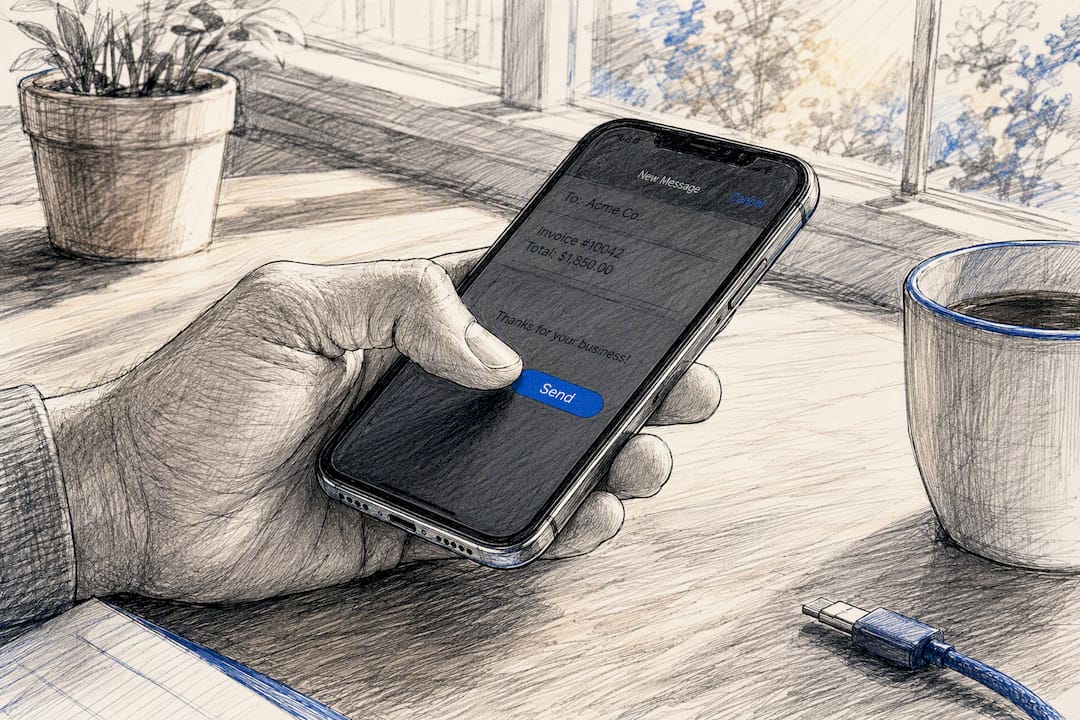
Instead of “Invoice #1042 is overdue,” try “Hi Sarah, just following up on the kitchen rewire from last month, invoice’s attached with the pay link if it’s easier to settle now.” Use the client’s name, reference the specific work, and keep the ask small: click, pay, done.
For recurring clients, vary the tone based on history. A client who has always paid on time but is a few days late this once deserves a lighter touch than someone with three overdue invoices in a row. Automation should set the cadence, but the wording in at least the first and last message in the sequence should sound like a person wrote it, because for the relationship’s sake, it should have been. Firm but friendly reminders tend to collect faster precisely because they don’t put the client on the defensive.
If a client has a preferred channel, a project manager who lives in Slack, a site foreman who only checks texts, route the reminder there instead of defaulting to email every time. Matching the channel to how that specific client actually works removes one more excuse for the invoice to sit unread.
Build Client Relationships That Make Late Payment Unlikely
The clients who pay fastest are rarely the ones with the strictest terms. They’re the ones who trust you and feel the relationship is worth protecting.
Start every project with a conversation about how invoicing will work, not just what the job costs. Clients who know upfront when they’ll be billed and how they can pay are far less likely to sit on an invoice out of confusion or avoidance. If something changes mid-project, tell them before the invoice arrives, not after.
Small gestures compound. A quick check-in call a week after a big job, unrelated to money, keeps you top of mind as a professional relationship rather than a name on a bill. Clients who feel respected and kept in the loop are considerably less likely to deprioritize your invoice when their own cash flow gets tight.

Repeat clients are worth treating differently than one-off jobs. Consider slightly more flexible terms for someone who has paid on time for two years running, while holding firmer terms and requiring deposits for anyone new. That distinction, applied consistently, does more to protect your cash flow than any late fee clause ever will.
How InvoiceLabs Was Built Around These Exact Frictions
We built InvoiceLabs after watching the same pattern play out for freelancers and small crews: invoices sent late, no pay link, reminders forgotten. So the platform creates a branded invoice in under 30 seconds, embeds a Stripe pay link automatically, and tracks status so you know the moment it’s viewed. Automated reminders run in the background. For deeper walkthroughs, see our invoice approval workflow guide and cash flow management examples.
— Black Flame Digital
Try the Workflow Yourself in Under Five Minutes
Every tactic in this guide comes down to removing friction between finishing the job and getting paid for it. InvoiceLabs is built specifically to close that gap: create the invoice, attach the pay link, turn on reminders, and you’ve replicated the entire system without touching a spreadsheet.

Start with the free invoice generator to send a real invoice with a working Stripe pay link in under 30 seconds, no account required. If you’re a consultant or agency looking for profession-specific layouts, the consultant invoice template gives you a starting point already formatted with the terms language covered above. Once you’ve tested the workflow on one invoice, enabling automated reminders across all your billing takes about two minutes inside your InvoiceLabs account.
Sources
- Small Business Commissioner — Late payments research
- Salesforce blog — Invoice payments guidance
- ClearReceivables — How to get paid faster
- Yonovo — How can I automate invoice generation?
Recommended
Send your next invoice in seconds
Create professional invoices, track payments and get paid faster — free to start.


