How to Create an Online Invoice Fast (and Get Paid)

Fill in your business and client details, add itemized line items, apply taxes, choose a payment method, and export or send as a PDF or secure link. That’s the whole process. With a modern online invoice generator, a professional, branded invoice can be created and sent quickly.
Here’s what a finished invoice must include:
- Business details: your name or company name, address, email, and phone
- Client details: bill-to name, company, and contact address
- Invoice number: unique, sequential (e.g., INV-2026-001)
- Issue date and payment due date
- Itemized line items: description, quantity, unit price, and line total
- Subtotal, applicable sales tax, discounts, and total due
- Payment methods and instructions
- Optional: a short memo, project reference, or PO number
Pro Tip: Save your logo, brand colors, and default payment terms before you start. Filling those in manually every time is the single biggest time-waster in the process.
Once those fields are complete, export as a PDF or generate a secure view-only link and send it directly to your client.

Table of Contents
- How do you create and send an online invoice step by step?
- What fields does every U.S. invoice need?
- How do you make an invoice look professional and on-brand?
- What payment options should you offer on an invoice?
- How do you track invoices and follow up without being awkward?
- Free vs. paid invoicing tools: when does upgrading make sense?
- How do you create a free invoice without signing up?
- Key Takeaways
- Why speed and clarity matter more than most freelancers realize
- Invoicelabs: create a branded invoice and collect payment today
- Useful sources and further reading
How do you create and send an online invoice step by step?
The six-step workflow below covers everything from a blank screen to a delivered invoice.
Step 1: Choose a template or start blank. Pick a layout that fits your industry. A profession-specific template saves setup time and looks polished without any design work.
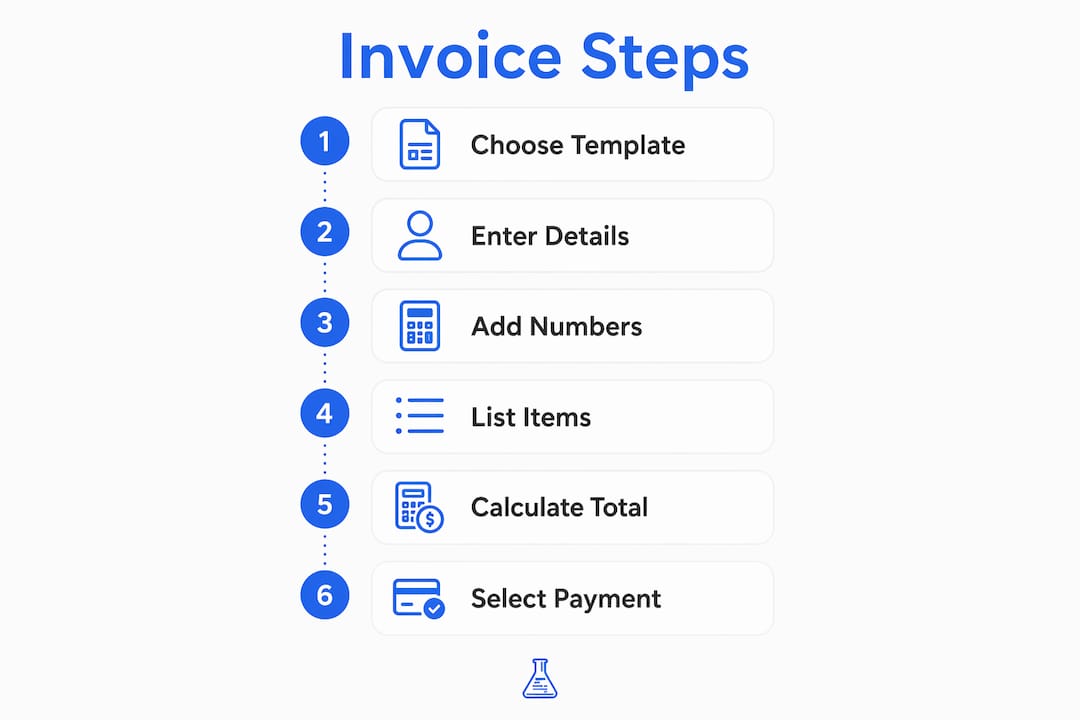
Step 2: Enter your business and client details. Your legal name or business name, address, and contact info go in the header. The bill-to section gets your client’s name and address. Double-check spelling here — a wrong client name delays payment.

Step 3: Add the invoice number and dates. Use a consistent numbering pattern like INV-[year]-###. Include both the issue date and the payment due date. Clients process invoices faster when the due date is explicit rather than implied by “Net 30” alone.
Step 4: List itemized line items. Each service or product gets its own row: description, quantity, unit price, and line total. Vague descriptions like “consulting” invite disputes. “Brand strategy session — 3 hours @ $150/hr” does not.
Step 5: Apply taxes, discounts, and calculate totals. Add applicable state or local sales tax. If you’re billing internationally, note VAT or GST where required. Real-time tax calculations in tools like Invoicelabs handle this automatically so you’re not doing mental math.
Step 6: Select payment options and export or send. Enable card payments, add a bank transfer option, or both. Export as a PDF, or generate a secure view-only link that clients can open in a browser without downloading anything. Your invoicing tool saves a record automatically.
What fields does every U.S. invoice need?
A U.S. invoice has no single federal format requirement, but the IRS expects businesses to maintain accurate records for tax purposes, and most state tax authorities require specific fields for sales tax compliance. Missing fields create disputes and audit headaches.
The core fields, in order:
- “Invoice” label at the top (not “receipt” or “bill”)
- Unique invoice number (sequential, no gaps)
- Issue date and payment due date (or explicit terms like Net 15/30)
- Your business name, address, and contact info
- Client’s name and billing address
- Itemized line items with description, quantity, unit price, and line total
- Subtotal
- Sales tax (rate and dollar amount, per applicable state law)
- Discounts, if any
- Total due
- Accepted payment methods and remittance instructions
For international clients, swap “sales tax” language for “VAT” or “GST” as required by the destination country. The standard invoice workflow documented by Wise confirms that invoice number, issue date, due date, and itemized descriptions are the fields most commonly missing from disputed invoices.
Pro Tip: Use the format INV-YYYY-NNN for invoice numbers. It tells you the year at a glance, prevents duplicates, and makes reconciliation trivial when a client references “invoice 2026-047.”
How do you make an invoice look professional and on-brand?
A branded invoice does two things: it signals that you run a real business, and it reduces the chance a client confuses your invoice with someone else’s. Neither requires a designer.
The fastest path is uploading your logo and setting a primary brand color in your invoicing tool. Adobe Express, for example, lets users save a Brand Kit with logo, colors, and fonts that apply automatically to every new invoice. Invoicelabs does the same, with profession-specific templates for roles like web developers and graphic designers built in from the start.
When choosing a layout, match the formality to the client. A minimal single-column layout works for most freelance projects. A more structured, multi-section layout with a project reference line suits agency or enterprise clients who route invoices through accounts payable.
Save a separate template for each major client or service type. The five minutes spent setting it up the first time saves you from re-entering the same details on every future invoice.
What payment options should you offer on an invoice?
Offering only one payment method is a quiet reason invoices go unpaid longer than they should. Clients have preferred methods, and friction at the payment step costs you days.
Common options to consider:
- Credit/debit card via Stripe: fastest collection, typically 2–3% processing fee
- ACH/bank transfer: lower fees, but 1–3 business days to settle
- PayPal or third-party processors: familiar to many clients, slightly higher fees
- Check: still common in some industries; slowest to clear
- Payment link: a clickable button embedded in the invoice or reminder email
For businesses that need automated payout flows, integrating card payments with a platform that handles disbursement automatically removes a manual step entirely.
Pro Tip: Enable Stripe card payments on every invoice, even if most clients pay by ACH. The clients who pay by card tend to pay the same day. That alone improves average collection time.
How do you track invoices and follow up without being awkward?
Sending an invoice and waiting is not a strategy. Most late payments happen because the client forgot, not because they’re unwilling to pay.
Tracking starts at delivery. A secure view-only link tells you when the client opened the invoice, which is more reliable than hoping an email attachment got through spam filters. Record partial payments and credits as they arrive so your outstanding balance stays accurate.
A practical follow-up cadence: send a friendly reminder 3–5 days before the due date (“just a heads-up, invoice INV-2026-047 is due Friday”). If the due date passes without payment, follow up at 7 days past due with the invoice attached again. At 14 days past due, reference your late fee policy if you have one.
Automated reminders in paid invoicing tools handle this without you drafting each email manually. The reminder goes out on schedule with a “pay now” button linked directly to the invoice. Attach the original PDF or secure link every time so the client never has to hunt for it.
Free vs. paid invoicing tools: when does upgrading make sense?
A free invoice maker covers the basics well. The gap shows up when your volume or complexity grows.
| Feature | Free / Accountless | Paid subscription |
|---|---|---|
| Create and export invoices | Yes | Yes |
| Saved client profiles | No | Yes |
| Automated payment reminders | No | Yes |
| Real-time tax calculations | Limited | Yes |
| Multi-currency support | Rarely | Yes |
| Stripe card payment integration | No | Yes |
| Multiple companies or brands | No | Yes |
Upgrade when you find yourself re-entering the same client details repeatedly, chasing payments manually, or managing invoices across more than one business entity. The time saved on a paid tier typically outweighs the subscription cost after a handful of invoices per month. For a deeper comparison of full platforms, the top invoicing software guide breaks down what each tier actually delivers.
How do you create a free invoice without signing up?
For a one-off invoice, an accountless flow is the fastest option. No account, no subscription, no waiting.
- Open a free invoice generator (Invoicelabs’s Quick Invoice page works without registration)
- Select a template or use the default layout
- Enter your business info, client info, line items, and totals
- Export as a PDF or generate a secure view-only link
- Send to your client and download a copy for your own records
Email a copy to yourself at the same time. That timestamp in your inbox is lightweight proof of issue if a payment dispute comes up later.
Where accountless invoices fall short: recurring clients, automated reminders, bookkeeping exports, and any situation where you need a searchable history of past invoices. If you’re billing the same client more than once a month, a saved account pays for itself in minutes.
Key Takeaways
Creating a professional online invoice quickly comes down to four things: a branded template, the right fields, clear payment terms, and a card payment option that lets clients pay immediately.
| Point | Details |
|---|---|
| Speed is achievable | A complete, branded invoice can be created and sent in under 30 seconds with the right tool. |
| Required fields prevent disputes | Include invoice number, issue date, due date, itemized line items, tax, and payment instructions on every invoice. |
| Branding builds trust | Upload your logo and set brand colors once; reuse the template on every future invoice. |
| Card payments accelerate collection | Enabling Stripe card payments gives clients a one-click path to pay the same day they receive the invoice. |
| Invoicelabs fits this workflow | Invoicelabs covers quick accountless invoices, real-time tax calculations, Stripe integration, and profession-specific templates in one place. |
Why speed and clarity matter more than most freelancers realize
The conventional advice is to “look professional.” That’s true but incomplete. The real reason a clean, fast invoice matters is cash flow timing. A vague invoice with missing fields goes into a client’s “needs clarification” pile, not their payment queue. That delay compounds across every client, every month.
The freelancers and small business owners who get paid fastest tend to share one habit: they send the invoice the same day the work is delivered, not a week later when they get around to it. A tool that lets you create an invoice in seconds removes the friction that causes that delay.
, and
Invoicelabs: create a branded invoice and collect payment today
If you’ve been putting off invoicing because the process feels slow or clunky, Invoicelabs is built specifically to fix that. You get a professional invoice in under 30 seconds, real-time tax calculations, instant delivery with status tracking, and Stripe card payment collection built in. Profession-specific templates for consultants, web developers, graphic designers, and more mean you’re not starting from a blank page.

Multi-currency support and bank-grade security cover international billing and data protection without extra setup. No hidden fees, no long-term commitment required to get started.
Try the Quick Invoice tool now to create and send your first invoice without signing up. When you’re ready for saved clients, automated reminders, and full reporting, upgrading takes less than two minutes.
Useful sources and further reading
- Invoicelabs Quick Invoice — accountless invoice creation with Stripe payment integration and secure delivery
- Invoicelabs Invoice Templates — profession-specific templates for freelancers, consultants, designers, and developers
- Wise Free Invoice Generator — step-by-step invoice creation with multi-currency support and PDF export
- Invoicelabs Billing & Invoicing Guide — deeper guidance on billing practices, payment terms, and recordkeeping for freelancers and small businesses
Recommended
Send your next invoice in seconds
Create professional invoices, track payments and get paid faster — free to start.


