Best Billing App for Android: Freelancers' 2026 Guide
Best Billing App for Android: Freelancers’ 2026 Guide
For most Android freelancers and small business owners, Invoicelabs is the strongest choice for mobile billing in 2026. It creates a professional invoice very quickly, collects card payments through Stripe directly from the invoice, and works from a clean mobile interface that doesn’t require a learning curve. You can even send your first invoice without an account.
Three reasons it stands out:
- Speed: Invoice creation takes under 30 seconds with profession-specific templates pre-loaded.
- Built-in payments: Stripe integration lets clients pay by card the moment they open the invoice.
- Mobile-first UX: Templates, branding, and real-time tax calculations all work from your Android screen without desktop detours.
Table of Contents
- What features should a billing app for Android include?
- How do you pick the right billing management app for your workflow?
- How to create and send your first invoice on Android with Invoicelabs
- What does pricing look like for mobile billing apps in the U.S.?
- How do you verify that a billing app is safe for client data?
- Why Invoicelabs works well for Android freelancers and small businesses
- Key Takeaways
- The case for going mobile-first with your billing
- Invoicelabs: send your first invoice from Android today
- Useful sources
What features should a billing app for Android include?
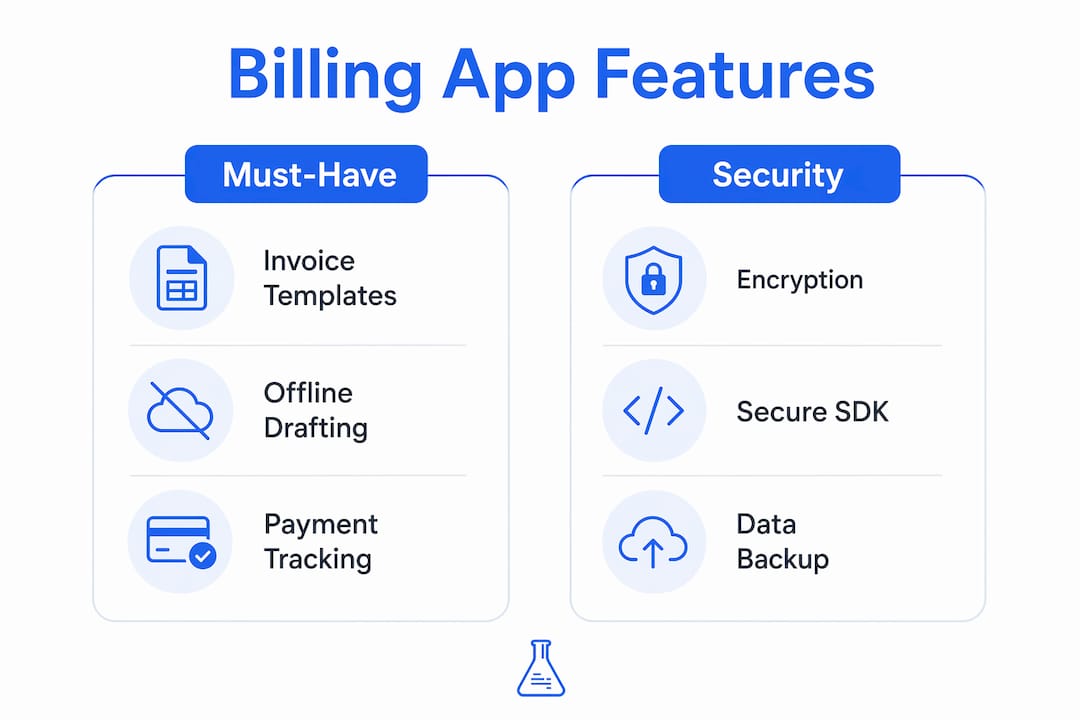
Not every invoicing app earns a place on your phone. The ones worth keeping share a short list of non-negotiable capabilities.

| Feature | Why it matters on Android |
|---|---|
| Invoice templates | Pre-filled fields cut creation time from minutes to seconds |
| Branded PDFs | Clients receive a professional document, not a generic form |
| Stripe / payment links | Clients pay directly from the invoice; no separate checkout needed |
| Recurring invoices | Automatic billing for retainer clients without manual re-entry |
| Expense receipts | Snap a photo on Android and attach it to the relevant invoice |
| Offline drafting + sync | Draft invoices without Wi-Fi; the app syncs when you reconnect |
Profession-specific templates matter more than most buyers realize. Invoicelabs offers tailored starting points for web developers, consultants, and photographers, each pre-loaded with the line items those roles actually use.
Pro Tip: Draft invoices offline during client meetings or on-site visits. When your phone reconnects, the app syncs automatically. This prevents the awkward “I’ll send it later” delay that often pushes payment back by days.
How do you pick the right billing management app for your workflow?
The right app depends on how you actually work, not on which one has the longest feature list. Run through these questions before you commit.
- Do you need card payments? If clients pay by card, Stripe integration is non-negotiable. Apps that only generate PDFs leave you chasing bank transfers.
- Do you bill recurring clients? Recurring invoice automation saves hours per month for anyone with retainer relationships.
- Do you work offline? Field workers, contractors, and anyone with spotty connectivity need offline drafting with reliable sync.
- Do you invoice in multiple currencies? U.S. freelancers with international clients need multi-currency support built in, not bolted on.
- How much template customization do you need? Logo, brand colors, and custom line items separate professional apps from basic invoice generators.
Red flags to avoid: hidden per-transaction fees on top of Stripe’s standard rate, no PDF export option, vague or missing privacy policies, and customer support that’s only a chatbot. Independent buyer guides, including TechRadar’s billing software roundup, consistently flag simplicity and transparent pricing as the top purchase drivers for freelancers. If an app’s pricing page requires a calculator to understand, keep looking.
How to create and send your first invoice on Android with Invoicelabs
Setup takes about five minutes. Here’s the exact sequence.
Step 1: Create your account or use quick invoice. Go to Invoicelabs and either sign up for a full account or use the accountless quick invoice flow to send your first invoice immediately. No credit card required.
Step 2: Add your business info and logo. Upload your logo and set your brand colors. Invoicelabs applies them to every invoice automatically.
Step 3: Pick a template. Choose a profession-specific template. Photographers get licensing fee fields; consultants get project-phase line items. The right template means you’re filling in amounts, not building structure from scratch.
Step 4: Add a client and build the invoice. Enter client details once; the app saves them for future invoices. Add line items, apply a discount if needed, and let the real-time tax calculator handle the math.
Step 5: Preview and send. Review the PDF preview on your Android screen, then send directly from the app. The client receives a payment link powered by Stripe and can pay by card immediately.
Step 6: Track status. Invoicelabs shows whether the invoice is sent, viewed, or paid. You get a notification the moment payment lands.
Pro Tip: Save your most common line items as defaults after your first invoice. Every repeat invoice for that client pre-fills in seconds, and you only adjust the date and amount.
What does pricing look like for mobile billing apps in the U.S.?
Most billing apps follow a three-tier structure: a free plan with document limits, a monthly subscription for expanded features, and card-processing fees on top.
Free plans typically cover:
- A limited number of invoices or documents per month (often three to five)
- Basic template access
- PDF download and email delivery
- Limited client records
Paid monthly plans unlock unlimited invoices, more client slots, recurring billing, and advanced branding. For most freelancers billing more than a handful of clients, a paid plan pays for itself in the first invoice cycle.
Card processing is a separate cost. Stripe Billing combines subscription management, usage-based billing, and invoicing with integrated payment collection. Stripe’s standard processing rate applies per transaction, and that fee comes from the payment amount, not from the app subscription. The practical implication: you pay for the app separately from what you pay to process cards. Apps that advertise “free payment processing” are usually absorbing that cost into a higher subscription tier or taking a platform cut.
Stat to know: Stripe Billing supports no-code subscription setup via the Stripe Dashboard, meaning you can configure recurring billing without developer help directly from your Android device.
When does a paid plan make financial sense? If you’re sending more than a few invoices a month or managing recurring clients, the time saved on manual follow-up alone covers the subscription cost.
How do you verify that a billing app is safe for client data?
Putting client names, addresses, and payment details into a mobile app is a real trust decision. Check these before you commit.
| Trust signal | What to look for |
|---|---|
| Encryption | Bank-grade encryption for data at rest and in transit |
| PCI compliance | Payment flows handled by a PCI-compliant processor (Stripe qualifies) |
| Play Store rating | High rating with recent reviews, not just an old rating |
| Privacy policy | Publicly accessible, plain-language, and specific about data use |
| PDF export | You can download your own data at any time |
| Cloud backup | Invoices sync to a server so a lost phone doesn’t mean lost records |
Using a provider with native mobile SDKs, like Stripe’s Android SDK, reduces PCI scope and simplifies payment tokenization. That matters because it means your client’s card number never touches the app’s servers directly. Invoicelabs uses bank-grade security and processes payments through Stripe, which handles the PCI-compliance burden on your behalf.
For tax reporting, your invoice exports feed directly into profit-and-loss tracking. A practical guide on reading a P&L statement from TaxBench explains how invoice data connects to your bookkeeping, which is worth understanding before tax season.
Why Invoicelabs works well for Android freelancers and small businesses
The case for Invoicelabs comes down to a few concrete product facts, not marketing language.
- Under-30-second invoice creation: Profession-specific templates and saved client data mean you’re not rebuilding the same invoice from scratch each time.
- Real-time tax calculations: The app calculates tax as you add line items. No manual math, no end-of-month corrections.
- Stripe payment integration: Clients pay by card directly from the invoice. Integrated payment processors that combine billing and collection dramatically reduce time-to-cash because payment happens at the moment of invoice delivery.
- Brand customization: Logo, colors, and custom fields apply across every document. Clients see a consistent, professional identity.
- Multi-currency support: Bill international clients in their currency without a separate conversion step.
- Downloadable PDFs: Every invoice is available as a PDF for your records or your accountant’s.
- Bank-grade security: Client data is encrypted and payment flows run through Stripe’s PCI-compliant infrastructure.
Providing an accountless quick-invoice flow alongside full account features lowers the barrier to sending a first invoice, which is often the step new users stall on. You can explore invoicing options for small businesses on the Invoicelabs blog if you want broader context before committing.
Key Takeaways
Invoicelabs is the strongest Android billing app for freelancers and small businesses that need fast invoice creation, built-in Stripe payments, and bank-grade security without hidden fees.
| Point | Details |
|---|---|
| Speed matters most | Invoicelabs creates a professional invoice in under 30 seconds using profession-specific templates. |
| Payments belong in the invoice | Stripe integration lets clients pay by card directly from the invoice, cutting time-to-cash. |
| Free plans have real limits | Most free tiers cap documents at a low number per month; paid plans unlock recurring billing and unlimited invoices. |
| Security is verifiable | Check for bank-grade encryption, PCI-compliant payment flows, and a public privacy policy before trusting any app with client data. |
| Start without an account | Invoicelabs offers an accountless quick-invoice flow so you can send your first invoice immediately. |
The case for going mobile-first with your billing
The conventional wisdom says a desktop invoicing tool is the “real” solution and a mobile app is just a convenience layer. That framing is outdated for most freelancers. The moment a job wraps, whether you’re on a job site, leaving a client meeting, or finishing a shoot, is the best moment to send an invoice. Waiting until you’re back at a desk adds hours or days to your payment cycle, and late invoices reliably produce late payments.

What actually matters for mobile billing isn’t the longest feature list. It’s whether the app gets out of your way fast enough that you send the invoice before the moment passes. Profession-specific templates, saved client data, and one-tap Stripe payment links are the features that do that work. Everything else is secondary.
For freelancers with recurring clients, the recurring invoice feature alone justifies the switch from a basic free app. Automatic billing means a client on a monthly retainer gets invoiced on schedule whether you remember or not.
Invoicelabs: send your first invoice from Android today
Invoicelabs gives you a fast, no-friction path to getting paid from your Android device. The free quick-invoice option requires no account, no credit card, and no setup time. You get profession-specific templates, real-time tax calculations, Stripe card payment links, and bank-grade security from the first invoice.

Full account plans unlock unlimited invoices, recurring billing, multi-currency support, and complete brand customization. No hidden fees, no surprise transaction markups on top of Stripe’s standard rate. If you’re a freelancer or small business owner who wants to stop chasing payments and start getting paid faster, create your first invoice now and see how quickly it goes.
Useful sources
- Stripe Billing: Official documentation on Stripe’s subscription, usage-based billing, and invoicing tools, including no-code setup and payment collection.
- TechRadar: Best billing and invoicing software: Independent buyer guide evaluating invoicing apps for simplicity, free-plan value, and feature depth.
- Invoicelabs quick invoice: Accountless invoice generator for sending your first invoice from Android without creating a full account.
- Invoicelabs invoice templates: Profession-specific templates for web developers, consultants, photographers, and more.
- Invoicelabs blog: top invoicing software: Comparative guide to invoicing tools for freelancers and small businesses with buyer guidance.
- TaxBench: How to read a profit and loss statement: Practical guide connecting invoice exports to P&L reporting and tax workflows.
- Invoicelabs billing guide for freelancers: Covers payment terms, invoicing frequency, and bookkeeping basics for freelancers and SMBs.
Recommended
Send your next invoice in seconds
Create professional invoices, track payments and get paid faster — free to start.


