PCI Compliance for Invoicing: What UK Freelancers and Small Firms Need
PCI Compliance for Invoicing: What UK Freelancers and Small Firms Need

Sending an invoice does not, on its own, put you under PCI DSS. Taking card payments does, and so does handling card details in any way. The practical answer for a UK freelancer or small agency is to keep card numbers out of your invoices, emails and records entirely, and to let a payment provider that is itself PCI compliant take the card. With InvoiceLabs, card payments on invoices are processed through Stripe, so the card is entered with the payment provider and never typed into an email or a spreadsheet of yours.
This guide explains what PCI DSS is in plain terms, when it reaches an invoicing business, what you must never collect, and the routine for staying on the right side of your payment provider.
TL;DR
- PCI DSS is the card industry’s security standard. It applies if you accept cards, store, process or transmit card data, or could affect its security, according to BSI.
- Never ask clients to send card numbers or security codes by email, message or a note on an invoice, and never keep a security code after a payment is authorised.
- Using a payment provider does not remove your responsibility. You still have to confirm the provider’s PCI status and complete the validation your acquirer asks for.
- Most small businesses fall in the lowest merchant level, where an annual self-assessment questionnaire is the normal route.
- InvoiceLabs processes card payments on invoices via Stripe, with a 1% fee on card payments and no card handling on your side.
Table of Contents
- What PCI DSS is, in plain words
- Does sending invoices make you subject to PCI DSS?
- What must never appear on an invoice or in your records
- How payment links and providers change your scope
- Who is responsible, and what you actually have to do
- What happens if you do not comply
- A short checklist for your invoicing set-up
- Taking card payments on invoices with InvoiceLabs
- Our view on card data and invoicing
- FAQ
- Sources
What PCI DSS is, in plain words
PCI DSS stands for Payment Card Industry Data Security Standard. It is a rulebook for anyone who deals with payment card data, kept by the PCI Security Standards Council. The current version is v4.0.1, published in June 2024. It groups its twelve principal requirements under six goals, among them building secure networks, protecting stored account data, controlling who can access it, and testing security regularly.
Two points matter for a small business.
First, it is not a law passed by Parliament. BSI explains that the council manages the standard, but compliance is determined and enforced by the card brands and the acquiring bank. The acquirer is the bank or company that lets you accept card payments, and it is the party you will actually hear from.
Second, the standard says the decision about who must validate compliance, and how, sits with the organisations running compliance programmes, such as payment brands and acquirers. In practice your payment provider’s terms tell you what is expected of you.
Does sending invoices make you subject to PCI DSS?
An invoice is a request for money. A PDF with a name, a line of work, a total and a bank account number is not cardholder data. So creating and sending invoices is not what triggers PCI DSS.
What triggers it is what you do around the invoice. According to BSI, the standard applies if an organisation:
- accepts payment cards in any form;
- stores or processes cardholder data;
- transmits card data to a payment processor; or
- provides services that could affect the security of cardholder data, even without direct access to it.
The moment you offer “pay by card” on an invoice, you are accepting cards. That does not mean you need a security team. It means you need to choose how the card details travel, and the safest choice for a small business is a route where they never touch your systems.
Where invoicing quietly drifts into scope
The risky habits are ordinary ones:
- A client replies to an invoice email with their card number and expiry date.
- A bookkeeper pastes card details into a notes field or a shared spreadsheet.
- A client photographs their card and sends it over a messaging app.
- A team member keeps card details in a project tool “to chase later”.
Each of these means card data now sits in your inbox, your phone or your files. That data is within scope, and every system holding it has to meet the standard. Automating the rest of your billing helps remove these manual handoffs, as this guide on how to automate invoice processing shows, but the decision that matters most is simple: do not let card details arrive by any channel you control.
What must never appear on an invoice or in your records
The card brands split card data into two kinds. Account data is the card number, name and expiry date. Sensitive authentication data is what proves the card is present or the holder is genuine: the full magnetic stripe data, the three- or four-digit security code, and the PIN or PIN block.
The rule on the second kind is absolute. Worldpay’s UK operating instructions state that merchants must not store sensitive authentication data after authorisation, even if it is encrypted. That includes the security code on the back of the card.
For an invoicing routine this gives you a short list of things that must never happen:
| Never do this | Why it matters | Do this instead |
|---|---|---|
| Ask clients to email or message card details | The data lands in inboxes and phones you then have to protect | Put a payment link or card payment option on the invoice |
| Write a card number or security code in a notes field | It becomes stored data in your records | Keep notes to invoice references only |
| Photograph or screenshot a card | Images are stored data, often synced to cloud backups | Ask the client to pay through the secure payment page |
| Keep a security code “for next month’s invoice” | Storing it after authorisation is prohibited | Use a payment provider’s saved-payment features, not your own records |
If a client does send card details by mistake, do not use them. Ask them to pay through the proper payment option and remove the message from wherever it landed, following your payment provider’s guidance.
How payment links and providers change your scope
The reason small businesses use a payment provider is simple: if card details are entered on the provider’s page and go straight to the provider, your own systems never see them. That sharply reduces what you have to secure.
The PCI council’s lightest self-assessment questionnaire, SAQ A, is built for exactly this. Its eligibility criteria say it applies only to card-not-present merchants, meaning online or phone sales where the card is not physically shown. All account data functions must be fully outsourced to validated, compliant third parties. All payment page elements must come directly from that compliant third party. And the merchant keeps nothing but paper reports or receipts containing account data.

That is the target for an invoicing business: card entry that happens entirely on a compliant provider’s page, and nothing card-related stored by you.
Outsourcing does not mean walking away
There is a catch that is easy to miss. The standard says entities that outsource payment operations still remain responsible for making sure the account data is protected by the third party. Worldpay’s instructions go the same way: even if you store no cardholder data yourself, you must verify the PCI DSS status of any third party that stores, processes or transmits cardholder data for you, and you are responsible for monitoring their compliance. If a service provider’s failure leads to compromised data, the merchant can be held responsible for associated costs.
Elavon’s UK Operating Guide points the same direction. It requires merchants to use an internet payments service that Elavon approves and that meets its security requirements, including PCI DSS compliance.
So the sensible rule is to choose a payment route whose provider is a recognised, validated payment company, to keep a record of that choice, and to tell your acquirer how you take cards. For details on how Stripe fits into invoicing, see our comparison of Stripe for invoicing options.

Who is responsible, and what you actually have to do
Responsibility is shared but not equal. The card brands set the rules, your acquirer enforces them, and you, the merchant, carry the obligation to comply and to prove it. Your payment provider carries its own obligation for the part it handles.
Merchant levels
Acquirers sort merchants into four levels by card volume. Worldpay’s UK instructions describe them like this:
| Level | Typical volume (Visa or Mastercard, per year) | Validation |
|---|---|---|
| 1 | Over 6 million transactions | Annual on-site audit by a Qualified Security Assessor with a Report on Compliance, plus quarterly network scans |
| 2 | 1 to 6 million | Annual audit, or an annual self-assessment completed by a trained internal assessor, plus quarterly scans |
| 3 | 20,000 to 1 million e-commerce | Annual self-assessment questionnaire, with scans if applicable |
| 4 | Up to 1 million, fewer than 20,000 e-commerce | Annual self-assessment recommended, with scans if applicable |
A freelancer or small agency billing clients by card will almost certainly sit in level 4. Your acquirer’s own terms decide the exact rules, so read them for your account.
A routine you can follow each year
The PCI DSS assessment process runs in a set order. Here it is in terms a small business can use:
- Confirm scope. List every place card data could appear: your payment provider, your invoicing tool, your email, your phone, your files. If the answer is “only on the provider’s payment page”, say so in writing.
- Pick the right questionnaire. For fully outsourced card entry, this is usually SAQ A, but your acquirer tells you which one applies.
- Complete it honestly. Answer each question against what you really do. If a requirement is not in place, fix it and reassess.
- Sign the Attestation of Compliance. This is the declaration that your assessment is accurate.
- Submit it to whoever asked, which for a merchant is the acquirer or the payment brand.
- Repeat every year. Worldpay requires annual certification and asks merchants to confirm compliance to it, and it reports status to the card schemes where required.
Keep your dated notes for each step. If you want a model for turning a checklist like this into a tidy implementation routine, the same logic appears in this software implementation checklist, which walks through scoping, assessing and documenting before you roll out a tool.
What happens if you do not comply
The consequences are practical, not abstract. According to Worldpay’s UK instructions, a merchant who does not comply risks fines from the card schemes, and a monthly non-compliance fee is charged if you are not compliant within 60 days of joining. A merchant who suffers a data breach may face scheme fines for loss of card data, plus associated fraud costs, lost business and damage to reputation. There are also fines for storing sensitive authentication data, such as the three-digit security code, after authorisation.
That last point is the one an invoicing business can control completely. You cannot always prevent a breach at a third party, but you can make sure no security codes ever sit in your own records.
If you handle personal data of clients, remember that data protection law runs alongside PCI DSS. Our guide to GDPR and invoicing in the UK covers that side, and our piece on secure online invoicing covers the everyday habits that keep client data safe.
A short checklist for your invoicing set-up
- Card payment is offered through a payment provider’s page or link, not by replying with details.
- No invoice template, notes field or email footer asks for card details.
- Nobody in the team keeps card numbers or codes in chats, spreadsheets or photos.
- You know who your acquirer or payment provider is and what validation it expects from you.
- You complete and keep your annual questionnaire and attestation.
- Your invoice records hold the invoice number, client, amount, status and payment reference, and nothing more sensitive.
Taking card payments on invoices with InvoiceLabs
InvoiceLabs is an online invoicing platform where you can create a professional, branded invoice in under 30 seconds, send it instantly and track its status. Card payments on invoices are facilitated via Stripe, so your client pays by card without you collecting or storing their details in the invoice. The platform describes its security as bank-grade, and the fee for card payments on invoices is 1%, with no hidden fees.
Plans are published at £0 per month for Free, £9 for Starter, £19 for Professional and £49 for Business. Paid plans unlock additional clients, companies and unlimited invoices. You can start without an account using the free invoice generator, or look at the plans when you are ready to add card payments to your invoices.
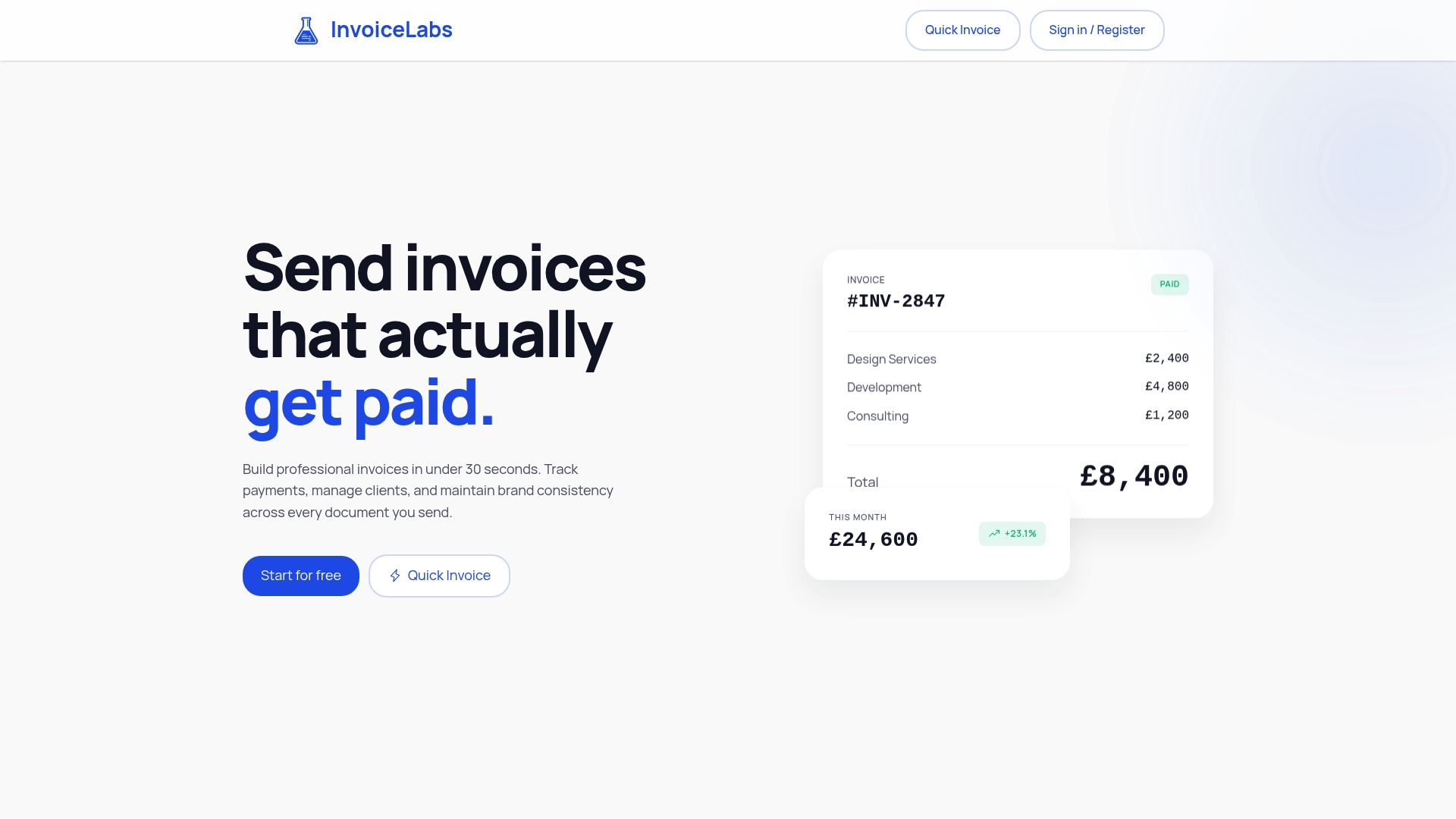
If you invoice in several currencies or want your logo and colours on every document, those features sit in the same workflow, so your payment request looks like you and pays like a normal checkout.
Our view on card data and invoicing
Most invoicing mistakes with card data are not technical. They are habits: a client emails a card number because it is quick, and a kind person on the team keeps it “just in case”.
We build InvoiceLabs around the opposite habit. The invoice carries the request, the status and the brand. When a client wants to pay by card, the payment goes through Stripe, and the invoice stays what it should be: a clean document with a clear amount and a clear way to pay.
That is also why we care about speed. A fast, clear invoice with a pay option on it removes the reason for anyone to improvise with card details in a reply. Real-time tax calculation, instant delivery and live status tracking mean the client knows what they owe, can pay straight away, and you can see when it has happened.
Our advice to freelancers, consultants and agencies is the same whatever tool you use: decide once that card details never travel by email, write that down, and make your invoice the place where the payment option lives.
Black Flame Digital
FAQ
Who handles PCI compliance for a small business?
You do, as the merchant, together with your acquirer or payment provider. The card brands set the rules and the acquirer enforces them. Your provider is responsible for the part of the process it runs, and you remain responsible for confirming its status and completing your own validation.
How do I do my own PCI compliance?
Confirm where card data could appear, complete the self-assessment questionnaire your acquirer asks for (SAQ A for fully outsourced card entry), sign the Attestation of Compliance and submit it. Repeat each year. Your acquirer or payment provider will tell you which form applies and how to submit it.
Can I store card details to invoice a client again?
Not in your own records. Security codes must never be stored after authorisation, even encrypted. For repeat billing, use a payment provider’s own saved-payment features so the details stay with the provider.
What happens if a company is not PCI compliant?
According to Worldpay’s UK instructions, it risks card scheme fines and a monthly non-compliance fee if it is not compliant within 60 days of joining. After a breach, costs can also include fraud spend, lost business and reputational damage.
Sources
- PCI DSS Compliance Assessment Services, BSI UK
- Payment Card Industry Data Security Standard v4.0.1, June 2024
- Worldpay Customer Operating Instructions, UK and Ireland, September 2026
- PCI DSS SAQ A eligibility criteria, 2026 form
- Elavon UK Operating Guide, March 2026
Recommended
Send your next invoice in seconds
Create professional invoices, track payments and get paid faster — free to start.


